Inventory guides
Inventory variance calculator and discrepancy guide.
An inventory discrepancy, also called inventory variance, is the difference between what you count and what your record shows for the same item, location, and unit: physical count − recorded quantity. A negative number is a shortage; a positive number is a surplus. Before you change the balance, count the item again and check its unit, location, and recent movements. Then record a missed movement, correct an entry, or enter a fresh count.
This guide is for shops, workshops, and makers who keep a stock record and count by hand. It covers quantity differences for one item at one location. It does not cover what a difference is worth in money, or usage reports for bars and kitchens.
Calculate your stock differenceGet the count sheet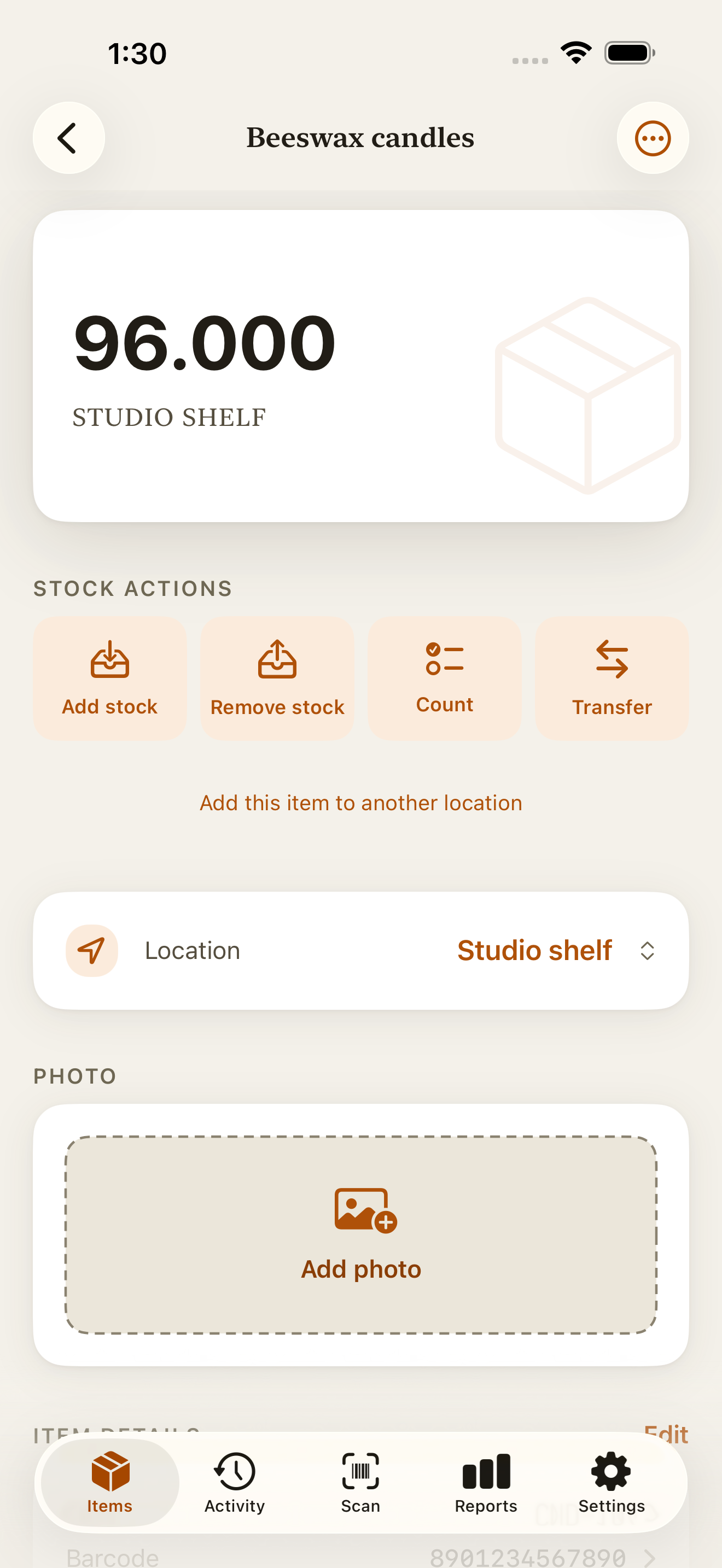
Inventory variance calculator
Compare your recorded quantity with the physical count for one item. Use the same unit, location, and counting time for both numbers.
Free to use, with no sign-in. Your numbers stay in this browser tab; the calculator does not update your inventory.
How to calculate inventory variance
Quantity variance = physical count − recorded quantity
Variance percentage = (quantity variance ÷ recorded quantity) × 100
The percentage compares the difference with the recorded quantity. A negative result means a shortage; a positive result means a surplus. This page uses variance and discrepancy for the same number. Check the count and recent movements to find out why it happened.
Stock count examples
| Recorded | Counted | Variance | Variance (%) |
|---|---|---|---|
| 24 | 21 | −3 | −12.5% |
| 24 | 27 | +3 | +12.5% |
| 0 | 5 | +5 | N/A |
If your record shows 24 jars and you count 21, the difference is 21 − 24 = −3 jars. Divide −3 by 24 and multiply by 100: the physical count is 12.5% below the record.
There is no percentage comparison when the recorded quantity is zero. The quantity difference still applies.
If you confirm 21 jars and need a recount in Countstead, choose Count and enter 21. Keep the −3 difference in your notes.
Make sure you are comparing the same stock
Write down the recorded balance, physical count, location, and time before you investigate. Keep both original numbers so you can explain the change later.
Match the item and unit
Check the item name, code, size, and variant. Two packs of six jars are 12 jars if your record uses individual jars. Don’t compare a pack count with an item count.
Check the location
Compare the shelf or room you counted with its own recorded balance. Look in other places where the item is stored before deciding that it has left the business.
Account for the time between counts
If a sale, delivery, or transfer happened after the physical count, include it before comparing that count with the current record. Pause movements during a recount where possible, or write down each movement.
Count the item again
Check behind nearby stock and in partly filled boxes. Record the second count separately. If it agrees with the record, correct your counting notes; no stock change is needed.
Match the inventory discrepancy to the evidence
Read the recent movements for that item and location. Compare them with the delivery notes, sales records, and transfer notes you actually have. A shortage alone does not tell you its cause.
| What you can verify | What to record |
|---|---|
| A delivery or removal happened but was never recorded. | Add the missing stock-in or stock-out movement once. |
| An existing entry has the wrong quantity or was entered twice. | Correct the specific mistaken entry, keeping the original in the history. |
| Stock moved between locations, but the transfer is missing. | Record the transfer between those locations; check both balances. |
| The physical count is confirmed, but the cause is still unknown. | Record a fresh count for that item and location. Keep the cause marked as unknown. |
Three examples in Countstead
These are separate examples in individual items, with no other stock moving during the checks. After any adjustment, compare the new balance with the confirmed count before doing anything else.
A sale is missing: record the movement
Your record shows 24 jars, but you count 21. A sales record confirms that three jars left and the item’s history has no entry for them. Choose Remove stock and enter 3. The balance becomes 21. There is no remaining difference to adjust.
A delivery was overstated: correct the entry
You had 20 boxes and received 10, but entered 12. The record shows 32; the shelf holds 30. Find the +12 entry in History and choose Fix this entry. Countstead prefills the original quantity, so change it to 2 before saving this correction. It subtracts those two extra recorded boxes, leaving 30. The original entry stays in the history; don’t also enter the delivery again.
The cause is unknown: enter the physical total
The record shows 18 bottles. You count 17 twice and find no movement or entry that explains the difference. Choose Count and enter 17, the physical total. The adjustment is −1. Keep the cause as unknown in your count notes; entering 1 into Count would set the balance to one bottle.
Check both sides of a location mismatch
Suppose the shelf is six items short and the stall has six extra. Check whether six items were moved between them without a transfer entry. Equal differences are worth investigating, but they don’t prove a transfer happened.
In Countstead, use Transfer for an item already tracked at both locations when you confirm a missing transfer. It removes stock from one location and adds the same quantity to the other. Creating another location requires Countstead Pro.
If a transfer is already in the history, check its direction, quantity, and any later movements. Individual transfer entries do not offer Fix this entry. Don’t record the same move again just because one location’s count looks wrong.
Keep a note you can use at the next count
Use the count sheet or your own record to keep the item, location, unit, counting time, original recorded quantity, confirmed quantity, evidence checked, and action taken. Add the resulting balance and who checked it. If you could not establish the cause, write that down.
A useful note is specific: “Three jars sold before the count; missing removal recorded; balance now 21.” “Stock fixed” leaves the next person guessing. Countstead has an optional note on stock movements and corrections; keep any separate counting sheet with your records.
When a similar difference returns, look at the step where it starts. If deliveries keep being recorded in packs while counts use individual items, use one unit and put it on the shelf label and receiving notes.
Before you change the next balance
Start with the number: physical count minus recorded quantity. Confirm that both figures describe the same item, location, unit, and time, then count again. Record what the evidence supports: the missing movement, a fix to the mistaken entry, the missing transfer, or a fresh count with the cause kept as unknown. Keep a note so the next count starts from what you found.
Common questions
- What is an inventory or stock count discrepancy?
- It is a difference between the physical quantity and the recorded quantity for the same item, location, unit, and point in time. Check those four details before treating the difference as missing or extra stock.
- Why don’t my inventory counts match my records?
- Usually because a sale, delivery, or transfer was never entered, an entry has the wrong quantity, the item was counted at another location, a pack was counted as one item, or stock moved between the count and the comparison. Check each of those before you treat the difference as lost stock.
- Should I change the balance as soon as a count is different?
- Count again and check recent movements first. A missed sale needs a stock-out entry; an incorrect recorded entry needs a correction. If you confirm the physical total but cannot explain the difference, use a fresh count and keep the cause as unknown.
- What if I already saved a recount and then find the missing sale?
- Check the balance and history before adding another removal. If the recount already brought the record down to the physical total, adding that sale now would subtract the quantity twice. Keep the new evidence with your count notes and work out which existing adjustment it explains before changing the record again.
- Does a shortage mean items were stolen?
- A lower count does not establish theft. Check units, locations, deliveries, sales, and mistaken entries. If the cause remains unconfirmed, record the count without assigning a reason you cannot support.
Try the inventory demo
Add an item and record stock movements in the browser. The demo is a working example; camera scanning is simulated.
Try the inventory demoAbout this guide
Written by Imdad Ismail, an independent developer in Sri Lanka who makes Countstead. Where a guide gives steps in Countstead, they match the version on the App Store. To report a mistake, email [email protected].