Inventory guides
Cycle counting for small business: a four-week schedule
Cycle counting means checking a small group of stock items on a repeating schedule. For a small business, a useful starting point is to count the items you rely on most each week and rotate through the rest. The four-week example below comes with a count sheet and a way to check differences before you change your records.
See the four-week scheduleDownload a count sheet (A4)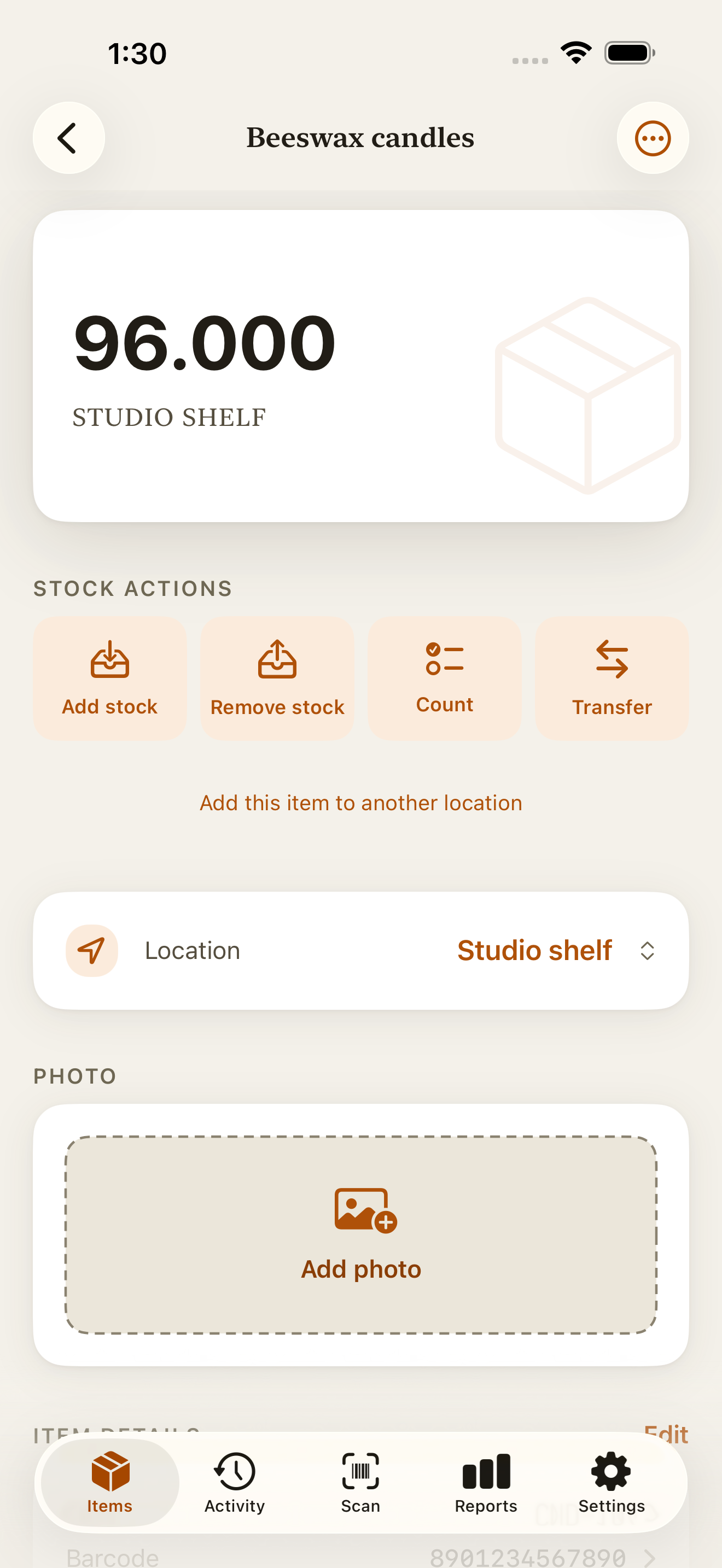
Cycle counting or a full stocktake?
A full stocktake checks everything within a defined scope at one point in time. A cycle count checks a smaller, named group, then returns to it on a schedule. Both involve physically counting stock and comparing it with the record. Oracle’s inventory guide describes using cycle counts alongside complete physical inventories.
Use the routine below to check stock between full counts. If your entire starting record is unreliable, first establish a baseline with a stocktake. Counting a few correct shelves does not prove that the untouched shelves are correct.
Choose which items to count more often
Start with items you handle often, depend on to fill orders, or repeatedly find out of balance. Put these on a priority list. Give the remaining items a place in the rotation so quiet shelves don’t disappear from the plan.
Sortly’s cycle-counting guide describes choosing count frequency around usage, value, and the way stock is handled, so it differs from one business to the next. Treat the weekly routine here as a starting example and adjust it to how often your stock moves.
Use one row per item at one location, with the unit written down. The same candle at a studio and a stall needs two separate counts. Keep units consistent: 3 boxes of 12 are 36 individual candles, but only if all three boxes are full.
A cycle counting schedule for 60 items
Suppose you track 60 different items at one location. Choose 12 priority items to count every week. Split the other 48 into four fixed groups of 12: A, B, C, and D. The letters are only names for the four groups.
Count the priority list plus one rotating group each week. That is 24 item counts per week and 96 over four weeks. All 60 different items get checked: the 12 priority items four times each, and the other 48 once each.
Write the item names in each group before you start. Include items whose record says zero, and mark a skipped count as not counted. Zero means you checked and found none. If 24 counts is too much for one sitting, split the same list across two sessions of 12.
| Week | Count these items | Item counts |
|---|---|---|
| 1 | 12 priority items + 12 in group A | 24 |
| 2 | 12 priority items + 12 in group B | 24 |
| 3 | 12 priority items + 12 in group C | 24 |
| 4 | 12 priority items + 12 in group D | 24 |
Run the count without losing track of movements
Keep the schedule in a calendar or your own worksheet. Use the printable sheet for the actual quantities, one sheet per location. It works with your current stock records; you do not need Countstead to use it.
Set the boundary
Write down the date, location, item list, and units. Identify any display stock or packed orders that belong in that location’s recorded balance so you don’t count them twice or miss them.
Pause movements for the items being counted
Choose a quiet time and finish recording earlier deliveries or sales first. If something must move during the count, note the item, quantity, direction, and time. Bring the record and physical count to the same point in time before comparing them.
Count what is physically there
Where practical, write the first count before looking at the expected balance. Recount a difference, checking nearby bins, similar variants, and whether the record uses packs or individual units.
Check the cause before changing the record
Look for missed deliveries, sales, transfers, and mistaken entries. Record a missing movement once, or correct the mistaken entry. Use a recount when you have confirmed the physical quantity and still need to bring the balance into line.
Example: the record says 20, but you count 18
You count 18 notebooks twice, while the record shows 20 at the same location. The difference is 18 − 20 = −2 notebooks. First check for an unrecorded sale, a transfer, or a mistaken quantity.
If you find a sale of 2 that has not been entered, record that sale once. The balance becomes 18. If the cause is still unknown after checking, save the confirmed physical count of 18 and keep a note with your count sheet that the cause is unresolved.
If you already saved the recount to 18 and later find the sale, do not simply remove another 2. That would leave 16 in the record while 18 remain on the shelf. Check which adjustment already accounts for the difference before entering anything else.
Record a physical count in Countstead
For the items on today’s list, use the individual Count action. Keep the schedule and your explanation notes on the sheet or in your calendar.
Open the item in Items
Find the item you physically counted. Check the location shown beneath its balance. If you track it at several locations, use Location to choose the one you counted.
Tap Count
Enter the total actually present, such as 18 notebooks, not the difference of 2. Check the current-to-counted preview before tapping Save count.
Check the saved result
Confirm the balance and history, then mark that row complete on your sheet. If Countstead reports a count conflict, check it and take a fresh physical count to resolve the competing stock changes.
After the first four weeks
Check whether every planned item was counted, which differences came back, and whether you had time to investigate them. Move a repeatedly mismatching item onto the priority list and fix the recurring cause, such as mixing pack sizes or leaving sales until the end of the day.
Change the list when your stock changes. Add new items, mark completed counts by date, and give skipped items a new slot. A row that keeps getting skipped still needs a count, even if the rest of the sheet matches.
Start with one location and a list you can finish. Complete that count, resolve its differences, and put the next group in your calendar.
Common questions
- How often should a small business cycle count?
- Start with a count schedule you can keep up with. The example counts priority items weekly and the rest once every four weeks. Increase checks for items that move often or repeatedly differ from the record. Your first rotation should help you judge the workload.
- Is cycle counting the same as a stocktake?
- Both compare physical stock with records. A cycle count covers a selected group on a repeating schedule; a full stocktake covers everything within its defined scope at one point in time. A rotation can support regular stock checks without creating one complete count as of a single date.
- Can I cycle count using a spreadsheet?
- Yes. Keep a row for each item and location, with its unit, scheduled date, actual count, checked difference, and action taken. Preserve the original observations when you reconcile the record. The printable sheets linked here can hold the counts while your spreadsheet holds the schedule.
- Should I enter zero for items I did not count?
- No. Mark them as not counted and schedule another check. Enter zero only after physically checking the relevant location and confirming that none are present.
Try the inventory demo
Add an item and record stock movements in the browser. The demo is a working example; camera scanning is simulated.
Try the inventory demoAbout this guide
Written by Imdad Ismail, an independent developer in Sri Lanka who makes Countstead. Where a guide gives steps in Countstead, they match the version on the App Store. To report a mistake, email [email protected].