Inventory guides
A Sortly alternative for iPhone and iPad
Countstead is a Sortly alternative for iPhone and iPad: an inventory app you can use without an account, with your records kept on the device. Sortly is a cloud inventory service with apps for iPhone, iPad, Android, and the web, and its paid plans let several people share one inventory, each with their own login. If more than one person needs a login, or you need Android or a browser, choose Sortly. If your business records its stock on an iPhone or iPad without separate staff logins, try Countstead first.
I make Countstead, so this is not a neutral comparison, though I have tried to be fair to Sortly. I have not used Sortly myself, so every Sortly fact here comes from its public pages: Sortly’s website, help center, terms, and App Store listing as they stood on 18 October 2026. The sources are listed at the end. The page compares features and plan limits, not what each plan costs. Sortly changes its plans now and then, so check its own site before you decide.
Download Countstead for iPhone or iPad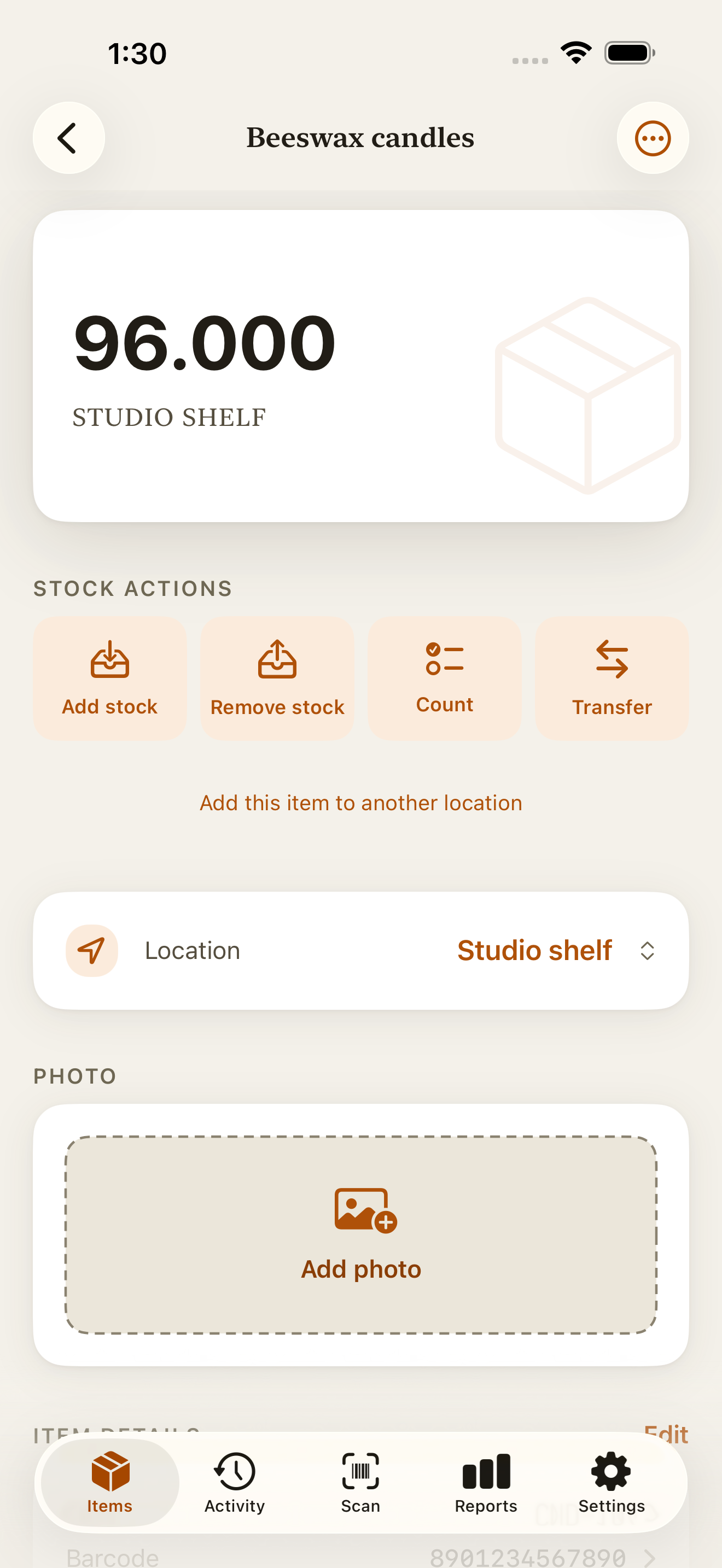
Sortly vs Countstead at a glance
Where a Sortly feature depends on the plan, the table names the plan.
| Feature | Countstead | Sortly |
|---|---|---|
| Devices | iPhone and iPad, on iOS or iPadOS 17 or later. | iPhone and iPad (iOS 18.5 or later), Android 12 or later, and a web app in the browser. |
| Account | Not needed for local use. Optional cloud sync, part of the Countstead Pro subscription, uses Sign in with Apple. | Required. You create a Sortly account before using it. |
| Where your records are kept | In a local database on your device. They leave it only if you turn on cloud sync. | In Sortly’s cloud, synced to each device. |
| Without a connection | Every core action works offline, including adding items and recording counts. | Offline access in the phone apps on every plan. Sortly’s help center says offline mode updates inventory levels on the device and syncs them when you reconnect. It is not available in the web app. |
| Free plan | 30 active items at one location. Archived items do not count. | 100 unique items and one user. Quantities do not count toward the limit. |
| Several people with their own logins | Not available. There are no staff logins or shared workspaces. | On paid plans, from 2 users up to 12 or more. |
| Barcode and QR scanning | Yes. Codes are read on the device and matched against your own items. | Yes, on every plan. |
| Printing barcode labels | Label sheets with Countstead Pro. | QR code labels from the Advanced plan; barcode labels from the Ultra plan. |
| Low stock | The free Low Stock view lists items at or below the level you set. Low-stock alerts on this device are part of Countstead Pro. | Low-stock warnings and reports from the Advanced plan. |
| Stock history | Every stock movement is kept, with no time limit. A correction adds an entry instead of rewriting the original. | Activity history covers 1 month on the free plan, and longer on paid plans. |
| Spreadsheet import and export | CSV import of up to 10,000 rows, and a full CSV export of your inventory. | Import of new items from CSV or Excel. Export to CSV, Excel, or printable reports with photos. |
| App languages | English, German, French, Spanish, Italian, Portuguese (Brazil), Japanese, Korean, and Indonesian. | English. |
| Connections to other business software | None. | Several, including QuickBooks Online from the Premium plan, and a developer API on the Enterprise plan. |
What both apps do
Both apps find an item when you scan its barcode or QR code, store a photo with each item, and import an existing spreadsheet. Both can also show what is running low. In Countstead, the free Low Stock view in Reports lists items at or below the threshold you set for each item at each location. Sortly has low-stock warnings and reports from its Advanced plan.
They organize stock differently. Sortly groups items into folders, which its help center says can stand for locations such as warehouses, rooms, or shelves. Countstead keeps a separate balance for each item at each location, and more than one location needs Countstead Pro.
When Sortly is the better choice
Sortly does a lot more than Countstead. If any of these describe your business, choose Sortly or another cloud service.
Several people update the same inventory
Sortly gives each person their own login on paid plans and lets you control who can see and change what.
You use Android or a computer
Sortly has Android apps and a web app, so you can update stock from an Android phone or a computer’s browser.
You want ordering and picking in the same app
From its Ultra plan, Sortly adds restock orders, pick lists, and online ordering from Amazon Business US, and from its Premium plan it can send records to QuickBooks Online. Countstead records each sale or delivery as a stock movement; it does not create restock orders or pick lists.
You need a free plan for up to 100 items
Sortly’s free plan holds up to 100 unique items. Countstead’s holds 30 active items, and past that you need Countstead Pro.
When Countstead makes more sense
Countstead suits a small business that keeps physical stock and records it on an iPhone or iPad, without separate staff logins.
You would rather not create an account
You can add items and record stock straight after installing the app, without signing up for anything.
You want your records on your own device
Your items and their history are stored on the iPhone or iPad itself. They are copied to Countstead’s servers only if you turn on cloud sync, which is part of Countstead Pro.
You count stock where there is no signal
Adding items, scanning, counting, and correcting entries all work offline, so you can keep working in a stockroom or at a market stall with no reception.
You want to see why a number changed
If a count looks wrong, the history shows every movement that led to it, with no time limit, on the free plan too. A correction is added as a new entry, so the original stays visible.
You work in a language other than English
Sortly’s app is in English only. Countstead’s is in nine languages, and you can switch between them in Settings.
Moving your items from Sortly
Sortly exports to CSV or Excel, and Countstead imports CSV, so your item list comes across. Its history does not: each item starts with the quantity you import, and past movements stay in Sortly.
Export from Sortly
Export the Inventory Summary as CSV, or export it to Excel and save a CSV copy from your spreadsheet app. Keep the original file either way.
Tidy the columns
Open the file in a spreadsheet. Keep at least the item name and quantity, plus the barcode if you use one. Save it as a UTF-8 CSV file with commas between columns. If a column name differs from Countstead’s sample CSV, match it by hand when you import.
Import into Countstead
Choose Import CSV, match the columns, and check the preview before you confirm. On the free plan, the preview shows how many rows fit within 30 active items and lets you import just those.
Check a few counts
Open some imported items and compare their balances with the stock on the shelf. Then record the next delivery or sale in Countstead rather than in Sortly.
Which one to choose
Choose Sortly if several people need their own logins, you work on Android or in a browser, or you need restock orders, pick lists, or a connection to QuickBooks Online. Choose Countstead if your business records stock on an iPhone or iPad, you would rather start without an account and keep your records on the device, or you work in German, French, Spanish, Italian, Portuguese (Brazil), Japanese, Korean, or Indonesian. Both have a free plan, so you can try each with a few real items before you move your list.
Sources and trademark
Each Sortly fact on this page comes from one of these Sortly pages, checked on 18 October 2026. Sortly updates its app often, so check a fact against its source before relying on it.
Sortly is a trademark of Sortly Inc. Countstead is not affiliated with, endorsed by, or sponsored by Sortly Inc. If something here about Sortly is out of date, email [email protected] and I’ll correct it.
- Sortly plan table: item limits, users, labels, offline access, and history length
- Sortly help center: free plan limits
- Sortly help center: what counts as a unique item
- Sortly help center: offline mode
- Sortly: offline inventory feature page
- Sortly help center: supported phones and tablets
- Sortly on the App Store: device requirements and languages
- Sortly terms of service, section 4: accounts
- Sortly help center: user roles and logins
- Sortly help center: QR code and barcode labels by plan
- Sortly help center: folders as locations
- Sortly help center: importing new items from CSV or Excel
- Sortly help center: exporting your inventory
- Sortly help center: QuickBooks Online
- Sortly help center: developer API
- Sortly help center: languages
Common questions
- Is there a free version of Sortly?
- Yes. Sortly has a free plan for up to 100 unique items and one user, according to its plan table on 18 October 2026. It includes barcode and QR code scanning, offline use in the phone apps, item photos, spreadsheet import, and activity history and inventory summary reports, with one month of activity history. Label creation and low-stock warnings start on Sortly’s Advanced plan, and barcode labels on its Ultra plan.
- Is Countstead free?
- Yes, for up to 30 active items at one location. The free app includes scanning, the full stock history, the Low Stock view, and CSV import and export. Countstead Pro, an optional in-app subscription, removes the item limit and adds more locations, cloud sync, low-stock alerts on this device, label sheets, a PDF inventory summary, and filtered CSV reports.
- Does Sortly work offline?
- Yes, in its iPhone, iPad, and Android apps, on every plan including the free plan. Sortly’s feature page says you can still view and edit inventory while offline. Its help center describes an offline mode you turn on in Settings under Sync Inventory, which updates inventory levels on the device and syncs them once you reconnect. Offline mode is not available in Sortly’s web app.
- Do you need an account to use Sortly?
- Yes. Sortly’s terms say you must register and create an account to use the service, and your inventory is kept in Sortly’s cloud. Countstead needs no account for local use: your inventory stays on the iPhone or iPad unless you turn on cloud sync, which is part of Countstead Pro and uses Sign in with Apple.
- Is Sortly a good inventory app?
- It depends on how your business works. Sortly fits a business where several people share one inventory across iPhone, iPad, Android, and the web, and where restock orders, pick lists, or a link to QuickBooks Online matter; those are on its paid plans. It needs an account, it is in English only, and its free plan stops at 100 unique items for one user. If your business records stock on an iPhone or iPad and you would rather not create an account, Countstead is an alternative to compare.
- Can I move my inventory from Sortly to Countstead?
- Yes. Export your items from Sortly as CSV, keep the name, quantity, and barcode columns, and import the file into Countstead. Check the preview before you confirm. Past movements do not carry over, so each item starts with its imported quantity.
- Does Countstead work on Android or a computer?
- No, only on iPhone and iPad. If you need Android or a browser, choose Sortly or another app that runs there.
Try the inventory demo
Add an item and record stock movements in the browser. The demo is a working example; camera scanning is simulated.
Try the inventory demoAbout this guide
Written by Imdad Ismail, an independent developer in Sri Lanka who makes Countstead. Where a guide gives steps in Countstead, they match the version on the App Store. To report a mistake, email [email protected].