Inventory guides
A free inventory spreadsheet template that tracks stock in and out.
Download a free inventory spreadsheet template for Microsoft Excel, Google Sheets or Apple Numbers. List each item once, log deliveries and sales on a second sheet, and the template works out how much you have and marks what to reorder. The download needs no email address or sign-up. If you move to Countstead on iPhone or iPad later, the app can import the item list.
For small shops, makers and stockrooms that keep one stock list for one location. The file is an Excel workbook (.xlsx) with three sheets and no macros. The three example items are made up; clear them before you start.
Download the template (.xlsx)Get Countstead for iPhone or iPad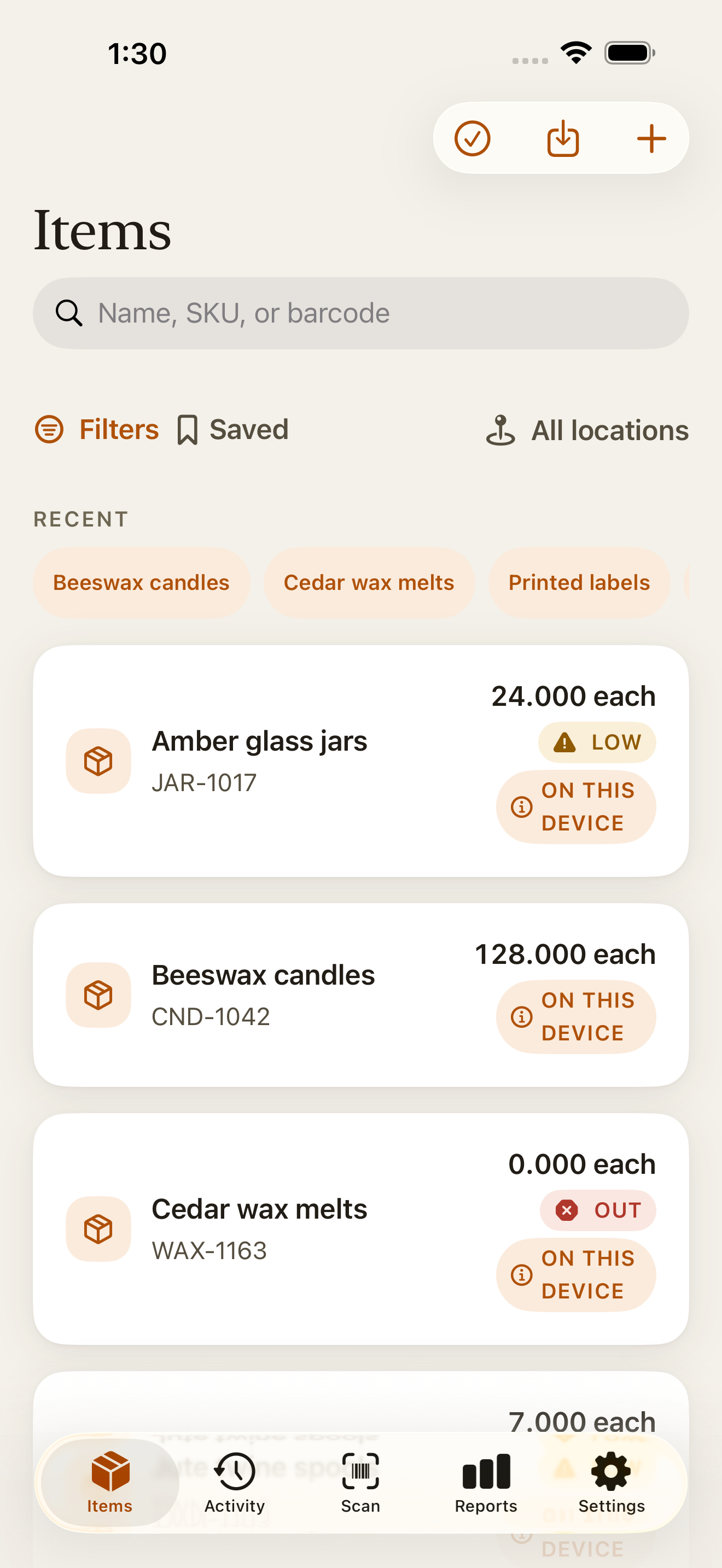
What’s in the template
An inventory spreadsheet template is a ready-made workbook for keeping track of stock: one row per item, a running quantity, and a level at which to reorder, with the formulas already written. This one has three sheets. Items is the stock list, with one row per item. Movements is a log, with one row for each delivery, sale, breakage or anything else that changes a quantity. How to use is a short version of this page.
Shaded columns hold formulas. Type in the white columns and leave the shaded ones alone; they fill in once a row has an item name. There is room for 500 items and 5,000 movements, and the top of the Movements sheet shows how many log rows you have used.

| Column | What goes in it |
|---|---|
| Item | The name you use for the item. Every row needs one. |
| SKU | Your own item code, if you use one. |
| Barcode | The code on the label. The column is formatted as text, so leading zeros stay. |
| Unit | What you count in, such as each, kg, m or box. |
| Opening stock | How much you had when you started the sheet. |
| Stock in, Stock out | Formulas: the totals logged on Movements for this item. |
| Quantity | Formula: the stock on hand, which is opening stock plus stock in, minus stock out. |
| Low-stock threshold | The quantity at which you want to reorder. |
| Reorder | Formula: shows Reorder when Quantity is at or below the threshold. |
| Cost | What one unit costs you. Optional. |
| Stock value | Formula: Quantity multiplied by Cost. |
| Notes | Anything else, such as where the item is kept. |
Open it in Excel, Google Sheets or Numbers
Microsoft Excel opens .xlsx files on Windows, Mac, iPhone and iPad. In Google Sheets, upload the file to Google Drive and open it with Google Sheets, or open a blank spreadsheet and choose File > Import. Apple Numbers opens it on Mac, iPhone and iPad and converts it to a Numbers spreadsheet.
In Google Sheets (File > Import) and in Numbers 15.1 on a Mac, every formula kept working. Both showed the example quantities (21, 8 and 31) and the Reorder flag on Packing boxes, and updated them when a movement was added. The file hasn’t been tested in Excel yet. The formulas use IF, OR and SUMIFS, which all three apps document.
Record stock in and out
Keep what you stock on Items and what happens to it on Movements. Quantities then follow from the log, so you never type over a number and lose track of why it changed.
Clear the examples
On Items, select the white cells in the Beeswax candles, Packing boxes and Cotton ribbon rows and delete their contents, which keeps the formulas in those rows. On Movements, delete the five example rows.
List your items
Add one row per item with its name, unit and today’s count as Opening stock. Add a low-stock threshold and a cost if you want them. Count everything on the same day, so the opening figures belong together.
Log each change on Movements
Enter the date, the item name exactly as it appears on Items, In or Out, and the quantity as a positive number. A delivery of 12 is In 12; a sale of 3 is Out 3.
Check Quantity and Reorder
Stock in, Stock out and Quantity on Items update as you go, and Reorder appears beside any item at or below its threshold. If a quantity looks wrong, filter Movements by that item and check each row.
| Item | How the template works it out |
|---|---|
| Beeswax candles | 24 opening + 12 in − 15 out = 21. The threshold is 10, so no Reorder. |
| Packing boxes | 40 opening + 0 in − 32 out = 8. That is below the threshold of 10, so Reorder appears. |
| Cotton ribbon | 12 m opening + 25 m in − 6 m out = 31 m, well above the threshold of 5 m. |
Count the shelf now and then
A sale nobody logged, or a box counted twice, stays in the spreadsheet’s totals until you count the shelf. Count a few items each week, or everything at once, and compare the counts with Quantity.
If a count differs, look for the missing or mistaken movement before changing anything. When you can’t find one, log the difference as a movement with a note, so the log still explains every quantity.
Move the list into Countstead
A spreadsheet works while one person updates it at a desk. Countstead is for recording a delivery or a sale on the phone in your hand, in the stockroom, with or without a signal.
Save the file as Excel
Excel saves .xlsx files already. In Google Sheets, choose File > Download > Microsoft Excel (.xlsx). In Numbers, export to Excel and leave out the summary worksheet. Keep Items as the first sheet, because Countstead reads only the first visible sheet.
Choose Import from spreadsheet
In Countstead 1.8 or later, open Items, tap Import from spreadsheet and choose the file. If you’re setting up Countstead, tap Bring my existing inventory instead.
Match one column by hand
Item, SKU, Barcode, Unit, Quantity, Cost and Notes match on their own. Under Match columns, set Low-stock threshold to the template’s Low-stock threshold column. Countstead leaves out the columns it doesn’t use.
Preview, then import
Tap Preview import and check the rows. Each Quantity becomes that item’s opening quantity: with the example rows, Beeswax candles at 21, Packing boxes at 8 and Cotton ribbon at 31. The Movements sheet isn’t imported, so the history in Countstead starts on the day you import.
Before you import a long list
Countstead is free for up to 30 active items at one location, counting items already in the app. If your sheet has more, the preview offers Upgrade to Pro, or a Keep first button that imports only the rows that fit.
A row whose Quantity is below zero won’t import. That usually means a missing delivery on Movements, so fix the log and save the file again.
Common questions
- What is the simplest way to keep track of inventory for free?
- List each item with an opening count, log every delivery and sale as it happens, and count the shelf now and then to catch mistakes. This template does that in Excel, Google Sheets or Numbers. Countstead does it on iPhone and iPad, free for up to 30 active items at one location.
- Is the inventory template free?
- Yes. Download it, use it and change it as you like. You don’t need an email address, an account or the Countstead app to use the spreadsheet.
- Does the template work in Google Sheets?
- Yes. Imported with File > Import, it kept every formula and the drop-down lists, and its quantities updated when a movement was added. You can also upload the .xlsx file to Google Drive and open it with Google Sheets.
- Why are Stock in and Stock out blank or zero for an item?
- They add up only the movements whose item name matches the Items row. Check the spelling and any extra spaces on the Movements sheet. Rows with no item name stay blank on purpose.
- What happens when the Movements sheet fills up?
- Only rows 2 to 5,001 are counted, and the top of the sheet warns you from 4,750 rows. When it does, start a new period: copy the Quantity column on Items, paste it into Opening stock as values, and clear the Movements rows. The Items sheet has 500 rows; for more, copy the last row down.
- Can I add my own columns?
- Yes. Add them to the right of Notes, with a name in the first row. When you import the file, Countstead reads the first row as column names and leaves out columns it can’t match.
- Can the template track more than one location?
- Not as it comes: it has one Quantity per item. In Countstead, more than one location needs Countstead Pro. To import items into a location other than your default one, create the location in Countstead first. Then add a column headed location and enter its name exactly as it appears in the app; each row creates one item at that location.
Try the inventory demo
Add an item and record stock movements in the browser. The demo is a working example; camera scanning is simulated.
Try the inventory demoAbout this guide
Written by Imdad Ismail, an independent developer in Sri Lanka who makes Countstead. Where a guide gives steps in Countstead, they match the version on the App Store. To report a mistake, email [email protected].